Practice software · Mauritius
The record a doctor actually keeps
Patients, appointments, consultations, prescriptions and invoices — set up for your specialty on the first day, and yours to change afterwards. Ten specialties. Works with no internet. Hosted in Mauritius, or bought outright and run in your own practice.
No account, no card, nothing to install — the demos open straight from this site.
10
specialties, each with its own forms, diagnoses, medicines and recalls
9
working demos you can open now, without asking anybody
0
doses calculated, diagnoses suggested or results interpreted
Every night
a backup is taken, restored into a scratch database and checked before it is kept
See it before you believe any of this
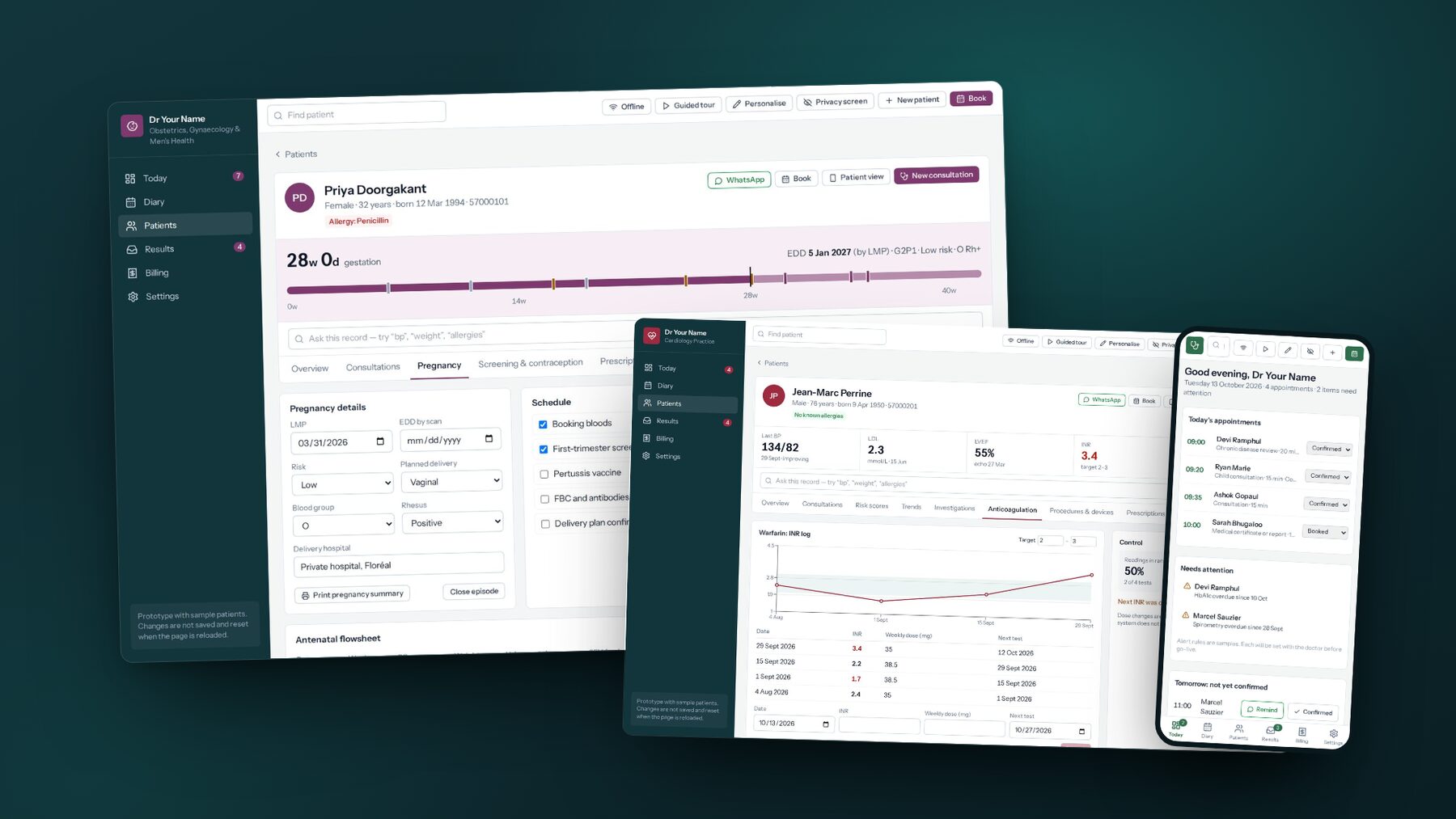
Every picture below is a photograph of the running system, not an illustration of one. Press a specialty and you get its own screen; press the demo and the whole thing opens, with sample patients.
Pick your specialty
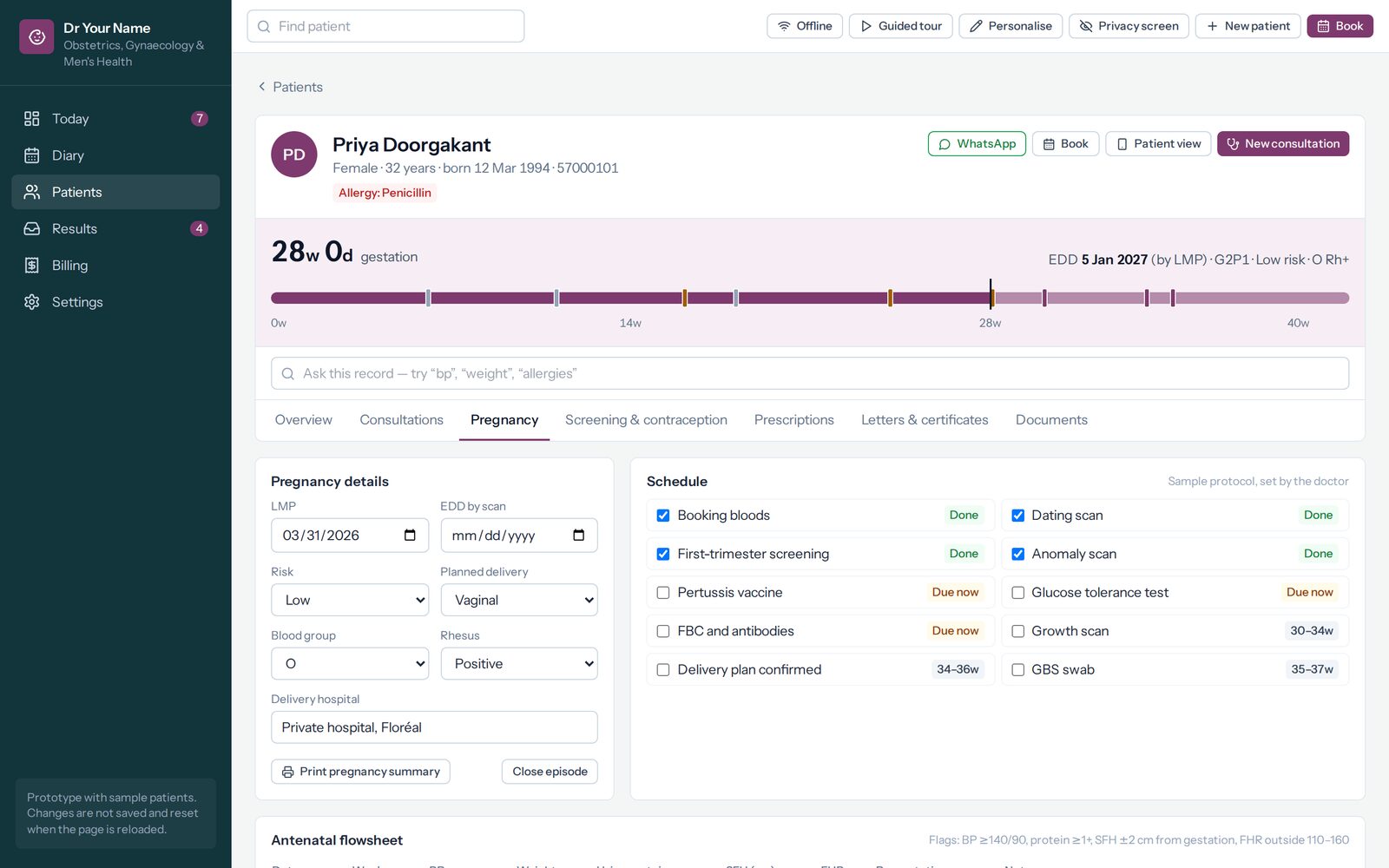
Obstetrics & gynaecology
Every antenatal visit on one flowsheet, with the summary she carries to the hospital a click away.
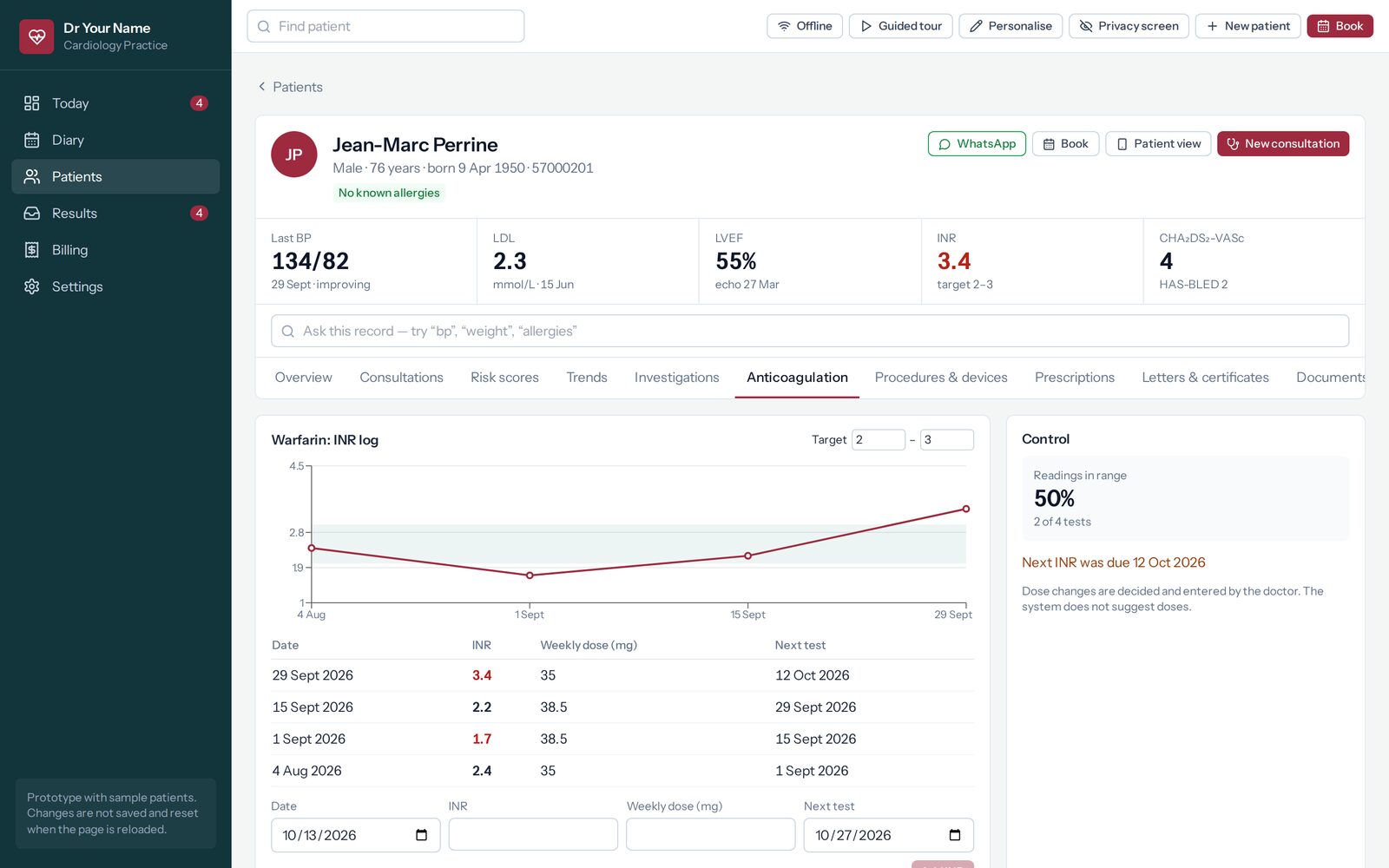
Cardiology
The warfarin log with the target range drawn on it, and what share of tests fell inside it.
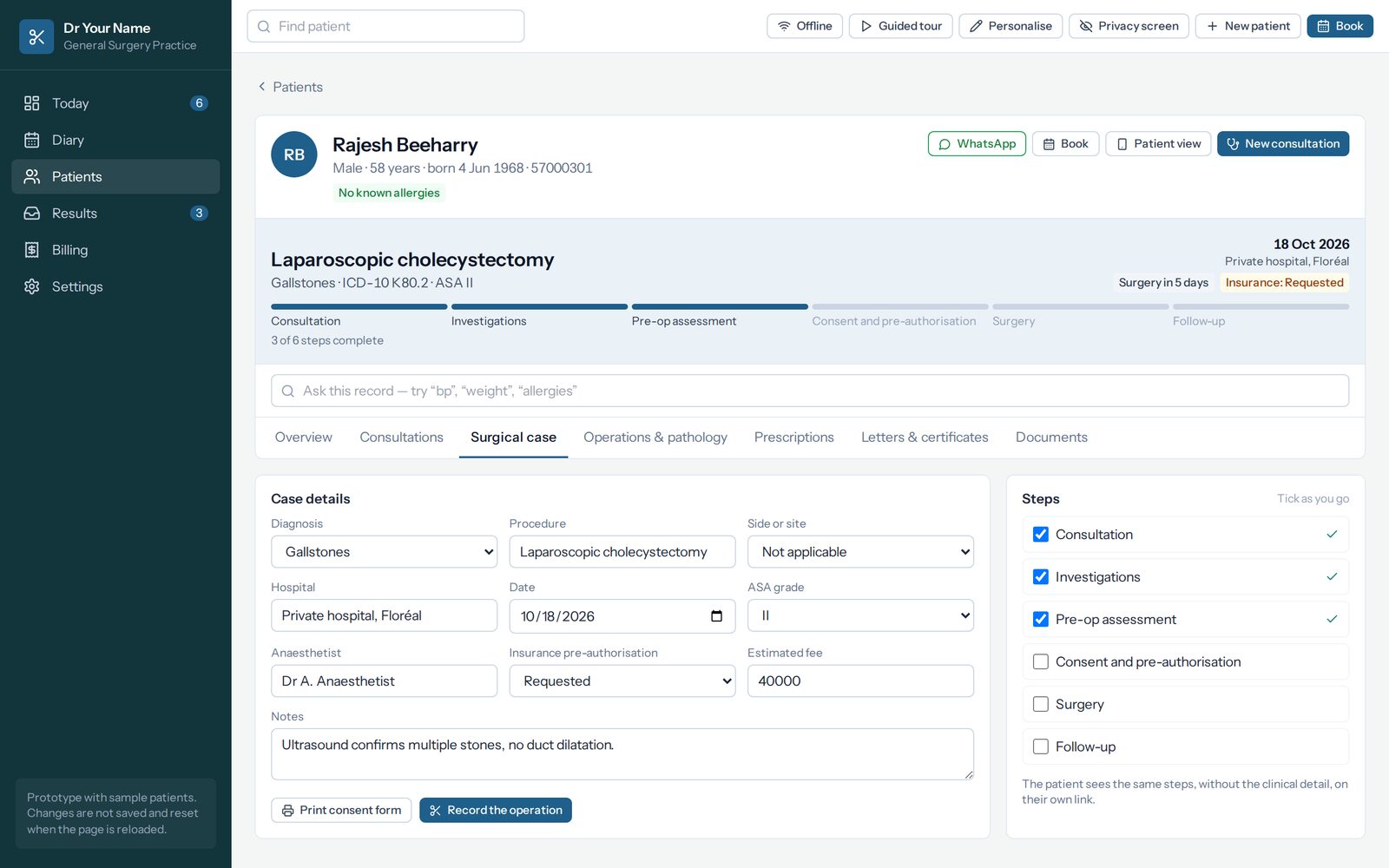
General surgery
One case from listing to histology, with the steps that are done and the ones that are not.
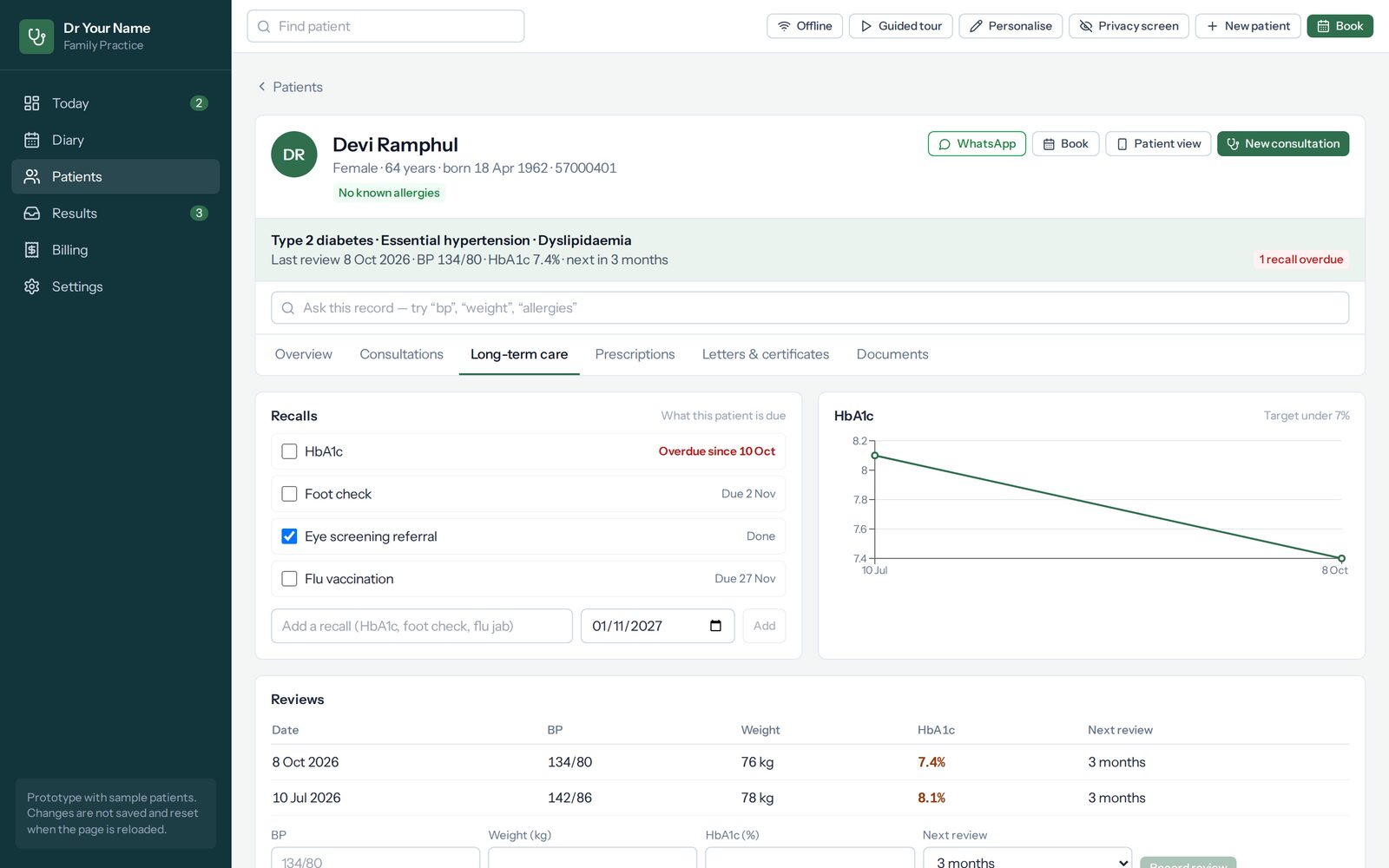
General practice
Recording a long-term condition starts the recalls it commits you to.
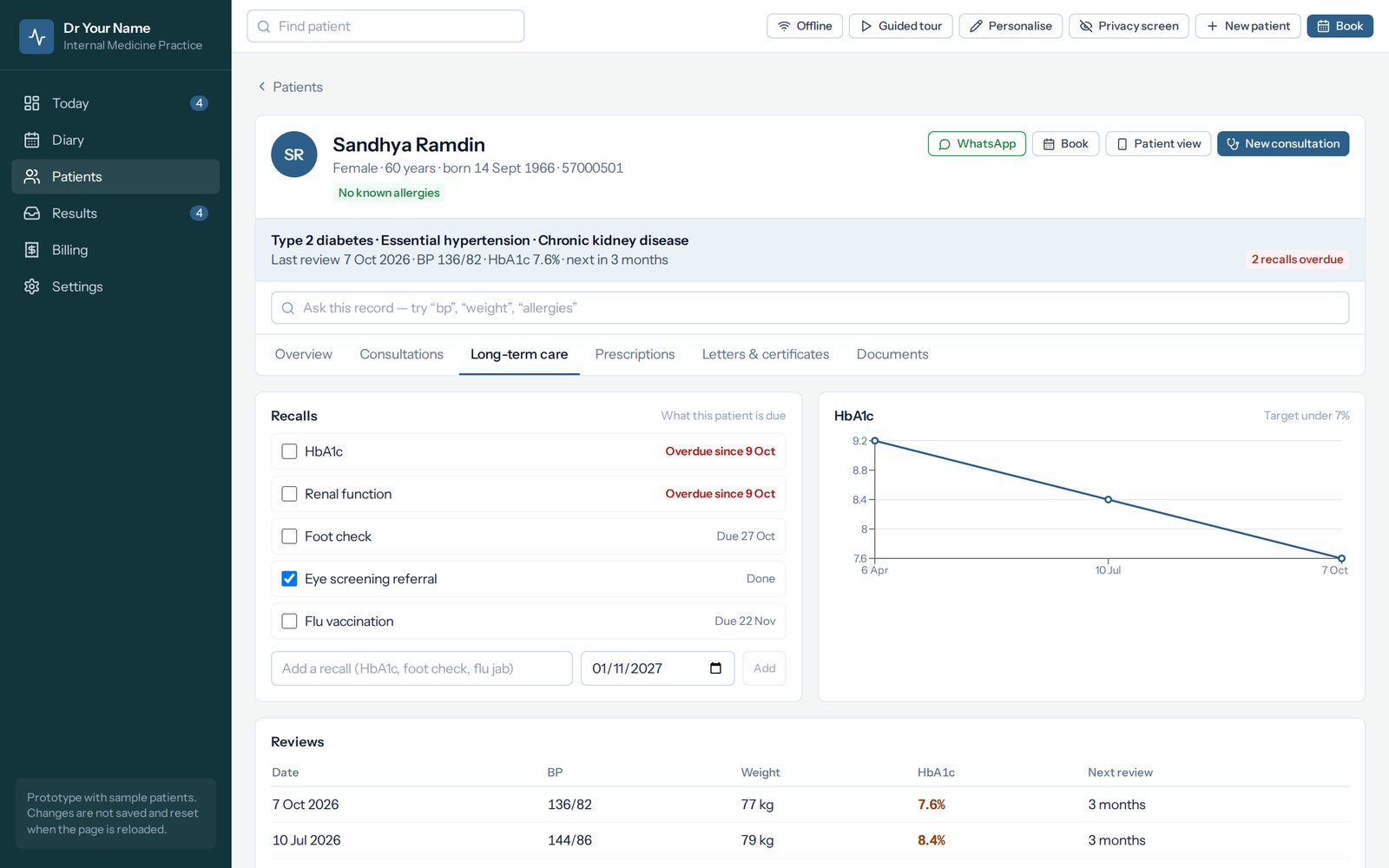
General medicine
HbA1c, kidneys, feet, eyes and vaccination — each with its own next date rather than one yearly review.
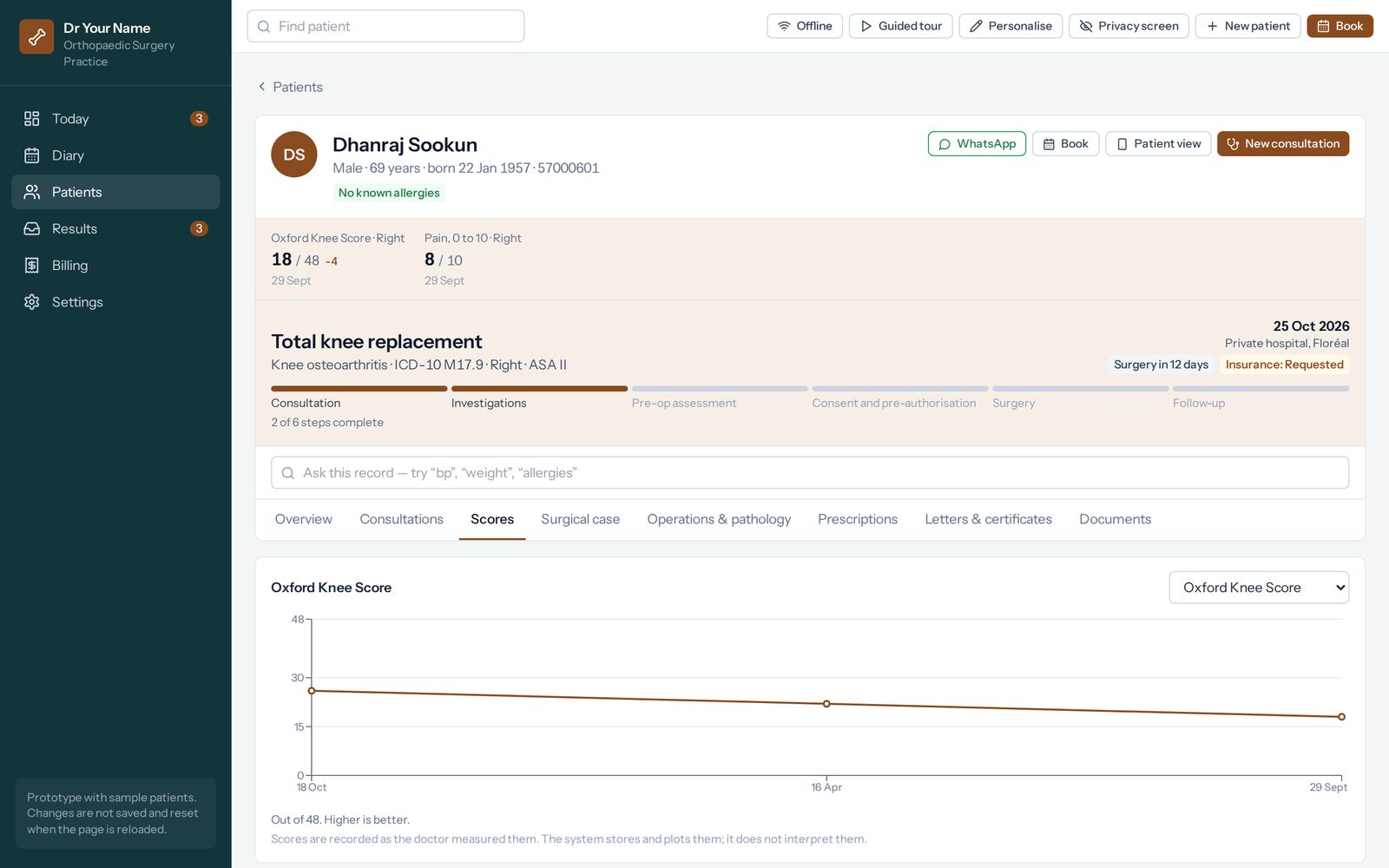
Orthopaedics
Function scored and plotted, so recovery is something you can turn round and show a patient.
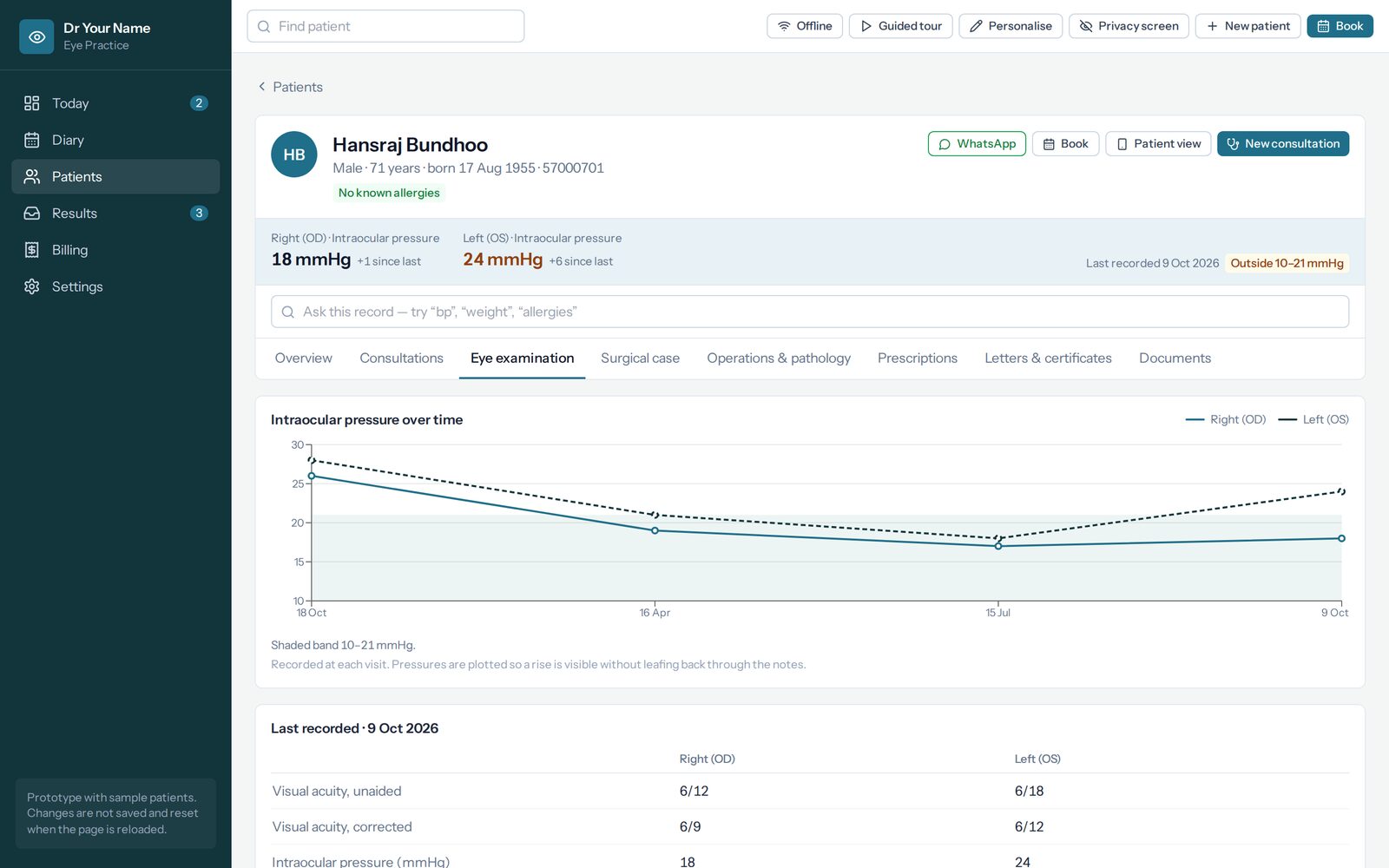
Ophthalmology
Both eyes side by side, with pressure plotted against the band you set for that patient.
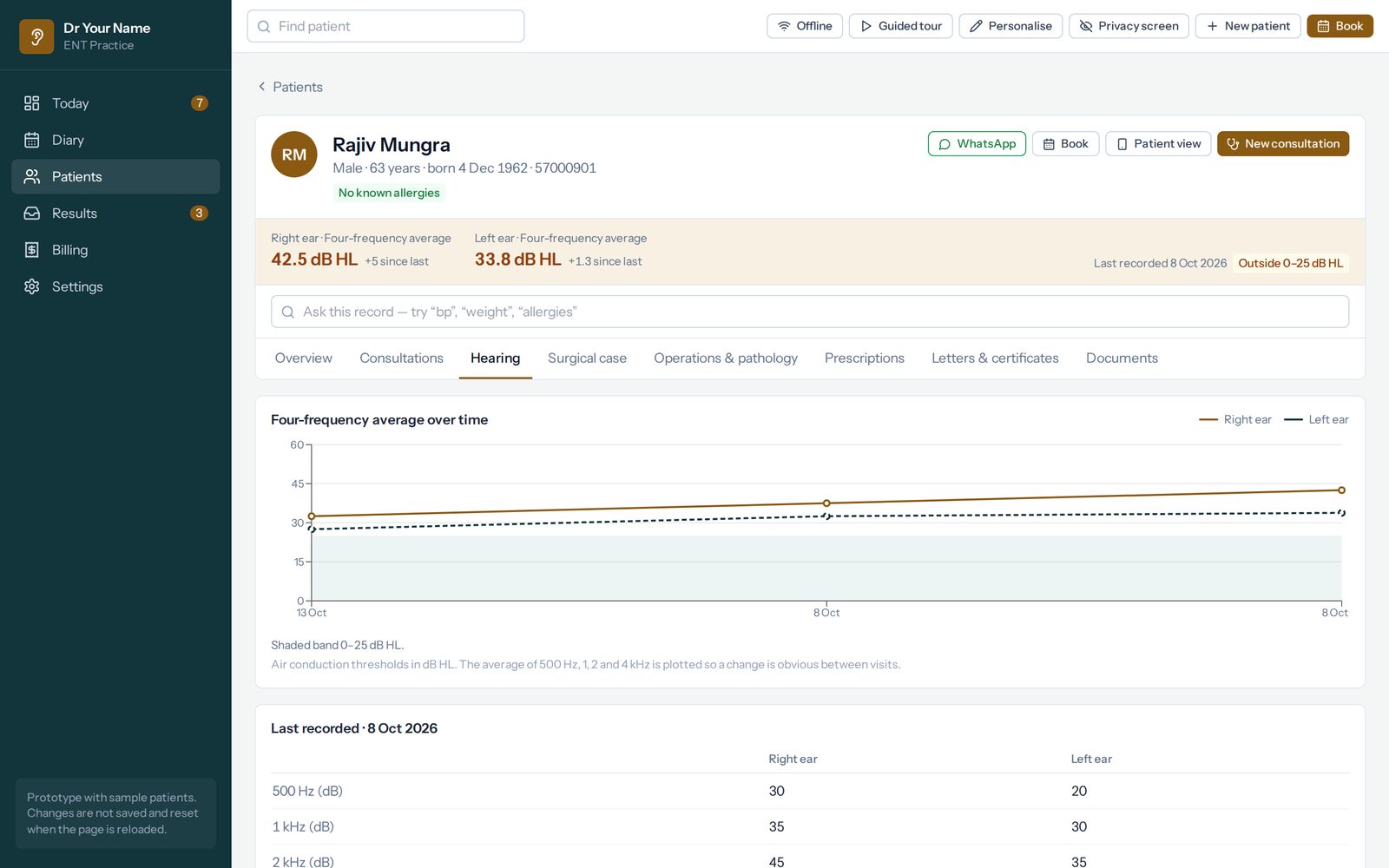
Ear, nose and throat
Thresholds for each ear, and no four-frequency average at all when a frequency is missing.
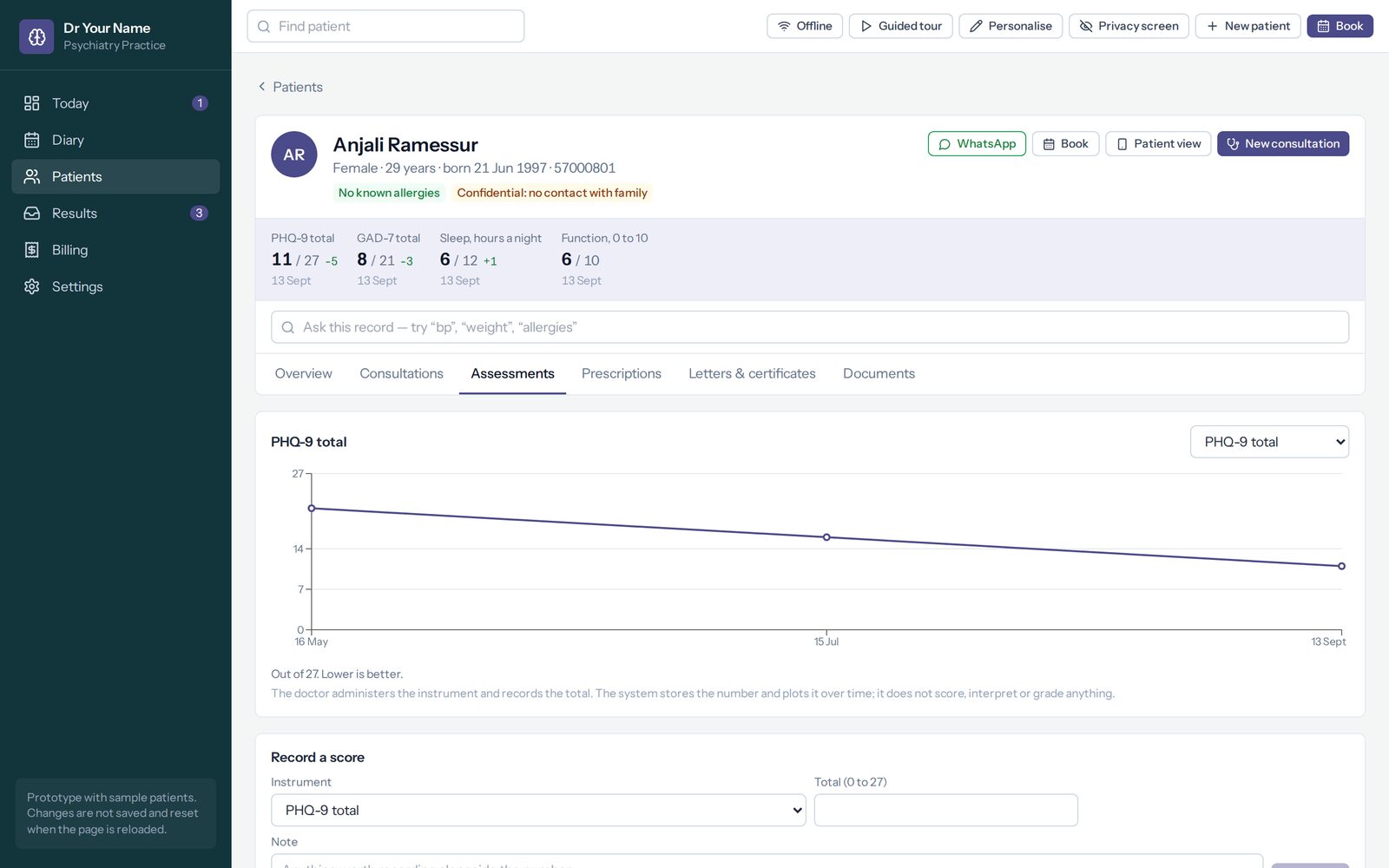
Psychiatry
Discreet from the first minute: no visit type in a reminder, no booking by a stranger with a link.
The oncology pack is built, and its demo is with an oncologist before it is shown to anybody else.
It is the one specialty where being wrong about a list has consequences beyond annoyance.
Oncology
The cancer as its own record — cycles given or held, lesions measured and summed. It calculates no dose.
The demos run from a USB stick with no internet, which is how they go to a first meeting. Nothing you type in one is saved, and reloading starts it again.
Running by the end of the week
1. An hour with you
We go through your clinic as it is now: what you write, what you print, what you chase. The demo is already set up for your specialty, so the conversation is about your lists rather than about software.
2. We set it up
Your specialty pack, your letterhead, your fees, your medicines, and your existing patient list imported from a spreadsheet. Your own address, your own database, nothing shared with another practice.
3. You change it
From the first day the lists are yours to edit in the browser — a diagnosis you never pick comes off, an interval that is wrong gets changed. You do not wait for us, and you are not charged for it.
The whole sequence, step by step — from opening a demo on your own to the first clinic day, and what happens after it.
What a practice gets
It works when the wifi does not
A consultation written with no connection is kept on the device and syncs when the connection returns. A consulting room is exactly where the signal fails.
Everything prints on your letterhead
Prescriptions, certificates, referrals and invoices — and a document reprinted a year later comes out exactly as it was issued, same date, same number.
The list fills itself
Recording a condition starts the recalls it commits you to, and what has fallen due is the first thing on the screen each morning — above the day’s appointments, deliberately.
Invoices the insurer accepts
Every diagnosis carries its ICD-10 code, so a claim statement comes out of the record rather than being retyped. Payment by QR from your own bank, scanned with Juice, my.t money or blink.
Who looked, and when
Two-step sign-in, automatic sign-out, and an audit trail of every view and change that cannot be edited from inside the system. One practice, one database.
Backups that were proved
A nightly backup is restored into a scratch database and checked before it is kept. A backup nobody has restored is a hope, not a backup.
The same few numbers, many times over
On paper that is a folder of loose sheets, and a change you would have seen at a glance is spread across pages you have to lay side by side. Praxia keeps them on one line.
The last reading is raised because it crosses a threshold — not because Praxia has decided anything. It flags; you diagnose.
Two ways to have it
Hosted, monthly
Quoted per practice
per doctor, per month. Backups, updates and support included.
Bought outright
Quoted per practice
once, per doctor. Runs on a machine in your practice; the records never leave it.
A tablet and a portable printer can come with either, set up before they reach you — the tablet to carry between rooms, the printer to put a prescription in the patient’s hand at the desk.
We quote per practice rather than publishing a price list, because a solo room and a four-doctor clinic are not the same job. Ask and the figures come back the same day.
What it does not do
Worth putting on the front page rather than in the small print, because the gaps matter as much as the features.
- It does not interpret. It records what you found and what you decided, flags what crosses a threshold, and leaves the judgement to you.
- It does not calculate doses. You prescribe; it prints what you prescribed.
- It is not a drug database. The medicines list is your practice’s own, and the safety rules in it are deliberately small and visible.
The questions doctors actually ask
Who owns the records?
You do. You are the data controller and Praxia is the processor, and the Data Protection Act 2017 paperwork comes with it: privacy notice, processing agreement, retention schedule and breach procedure. If you buy outright, the records sit on your machine and nowhere else.
What happens to my existing patient list?
It is imported from a spreadsheet as part of setting up — English or French column headings, several date formats, and duplicates flagged for you rather than merged silently.
Is my specialty on the list?
Ten are set up today. Almost everything a specialty needs is content rather than code, so an eleventh is weeks of content work rather than a new build. Tell us what you do and we will say honestly whether it fits.
What if I stop paying?
You leave with your records, in a format you can read without us. A patient record you cannot take with you is not your record.
An hour, in your own rooms
We bring your specialty already set up, with sample patients, and go through a normal clinic day. No obligation, nothing to install, and you will know within the hour whether it fits the way you work.